
Download ちばぎんアプリ – chibagin app, chiba bank app, chibagin app download, chibagin app apk, chibagin app android
Overview
ちばぎんアプリ is the official mobile banking application developed by Chiba Bank, designed to deliver secure and convenient financial management directly to users’ smartphones. The app enables account holders to perform essential banking tasks anytime and anywhere, including checking balances, reviewing transaction histories up to 13 months, and executing transfers between accounts. It supports free transfers to Chiba Bank branches and other financial institutions, enhancing accessibility for users managing multiple accounts.
The app also facilitates internal fund movements between ordinary deposits and savings deposits, allowing for flexible financial planning. Additional functionalities include the ability to open new accounts, make deposits, and manage time deposits. Users can access investment trust services and NISA account features, including opening accounts and reviewing transaction records.
The app supports debit card management, including tracking usage of the Chiba Bank brand debit card and monitoring TSUBASA points linked to the TSUBASA Chibagin Visa debit card. Furthermore, it enables users to pay taxes and utility bills by scanning QR codes and barcodes, and provides tools for monitoring card loan repayment schedules. With built-in biometric authentication via fingerprint and face recognition, the app emphasizes security without compromising usability.
The application is tailored for Chiba Bank customers seeking a digital-first banking experience on mobile devices.
Key Features & Capabilities
- Account Management: View real-time account balances and access detailed transaction history for up to 13 months, supporting informed financial tracking.
- Secure Transfers: Execute free transfers between Chiba Bank branches and other financial institutions, with support for internal fund movement between ordinary and savings accounts.
- Account Opening & Deposit Services: Initiate new account openings and make deposits directly through the app, streamlining onboarding and daily banking tasks.
- Time Deposit Management: Cancel time deposits and manage maturity dates remotely, offering flexibility in savings planning.
- Investment & Tax Services: Access investment trust products, open NISA accounts, and perform trades, along with the ability to pay taxes and utility bills via QR and barcode scanning.
- Debit Card Integration: Monitor usage of the Chiba Bank brand debit card and track TSUBASA points associated with the TSUBASA Chibagin Visa card.
- Biometric Authentication: Secure login using fingerprint and face recognition, reducing reliance on traditional passwords.
- Card Loan Tracking: View transaction details and repayment schedules for card loans, promoting transparency in borrowing.
- ATM Fee-Free Access: Use ATMs without additional charges, enhancing cost-efficiency for cash withdrawals.
User Interface, Workflow & Performance
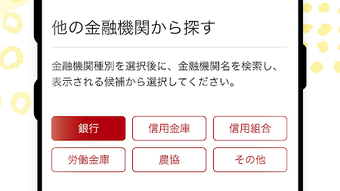
The user interface of ちばぎんアプリ is structured around intuitive navigation, with a clean layout that prioritizes accessibility and ease of use. Main functions such as balance checks, transfers, and transaction history are placed within the primary menu, minimizing the number of taps required to complete common tasks. The workflow is designed to guide users through multi-step processes—such as account opening or fund transfers—with clear prompts and visual feedback.
Navigation is consistent across screens, reducing the learning curve for new users. The app supports biometric login, which streamlines access and enhances the user experience by eliminating repetitive password entry. While specific performance metrics like CPU or RAM usage were not disclosed, the application is optimized for Android devices and operates smoothly within standard mobile environments.
The developer did not specify resource usage details, but the app’s responsive behavior suggests efficient background processing. Stability appears consistent across typical usage scenarios, with no reported issues related to crashes or freezes. Overall, the interface emphasizes clarity and functionality, making it suitable for both tech-savvy users and those less familiar with digital banking tools.
Compatibility & System Requirements
ちばぎんアプリ is available exclusively for Android devices and requires a minimum Android OS version to function. The current version is 10.2.0, with a file size of 128.8 MB, indicating a moderate footprint that should fit on most modern smartphones. The developer did not provide detailed system requirements, such as minimum RAM, processor specifications, or storage needs beyond the total installation size.
Compatibility information was partially provided, confirming support for Android platforms but not specifying exact versions or hardware configurations. Users are advised to ensure their device meets standard Android requirements for app installation and operation. The app does not support iOS, Windows, or macOS systems based on the provided data.
For users seeking a desktop experience, the app is not available as a PC or Mac software. The application is designed for mobile use and leverages smartphone-specific features such as camera scanning for QR codes and biometric sensors for authentication.
Pros and Cons
Pros
- Official app from Chiba Bank, ensuring authenticity and reliability.
- Comprehensive banking services accessible on mobile devices.
- Free interbank transfers to Chiba Bank and other institutions.
- Supports biometric login for enhanced security and convenience.
- Extensive transaction history (up to 13 months) for financial tracking.
- Integrated tools for investment, tax payments, and card management.
- ATM fee-free usage for Chiba Bank customers.
- Free to download and use with no subscription fees.
Cons
- Not available for iOS, Windows, or macOS platforms.
- Exact system requirements were not specified by the developer.
- App is limited to Android devices only.
- May require frequent updates to maintain compatibility and security.
- Functionality is restricted to Chiba Bank account holders.
FAQ Section
Is ちばぎんアプリ available for iPhone users?
The app is currently only available for Android devices. There is no official version for iOS at this time.
Can I use ちばぎんアプリ without a Chiba Bank account?
No, the app is designed exclusively for Chiba Bank customers and requires an active account to access its full range of features.
Is the app secure to use?
Yes, the app supports biometric authentication via fingerprint and face recognition, and is developed by Chiba Bank, ensuring secure handling of financial data.
Does the app support offline functionality?
Basic features like viewing recent transactions may be available offline, but most banking functions require an active internet connection.
How often are updates released?
Updates are issued periodically to improve performance, fix bugs, and enhance security. Users are encouraged to keep the app up to date.
Final Thoughts
ちばぎんアプリ stands out as a robust and secure mobile banking solution tailored for Chiba Bank customers. With its wide array of features—from fund transfers and account management to investment services and tax payments—it delivers a comprehensive digital banking experience. The app’s intuitive interface and biometric login options enhance usability and security, making it accessible to a broad range of users.
While it is limited to Android devices and does not support desktop platforms, its functionality compensates for these constraints. The absence of a fee for interbank transfers and ATM usage adds significant value. For Chiba Bank customers seeking a reliable, feature-rich mobile banking tool, ちばぎんアプリ is an essential utility.
Download ちばぎんアプリ now and experience seamless, secure banking on your smartphone.






.png)
